
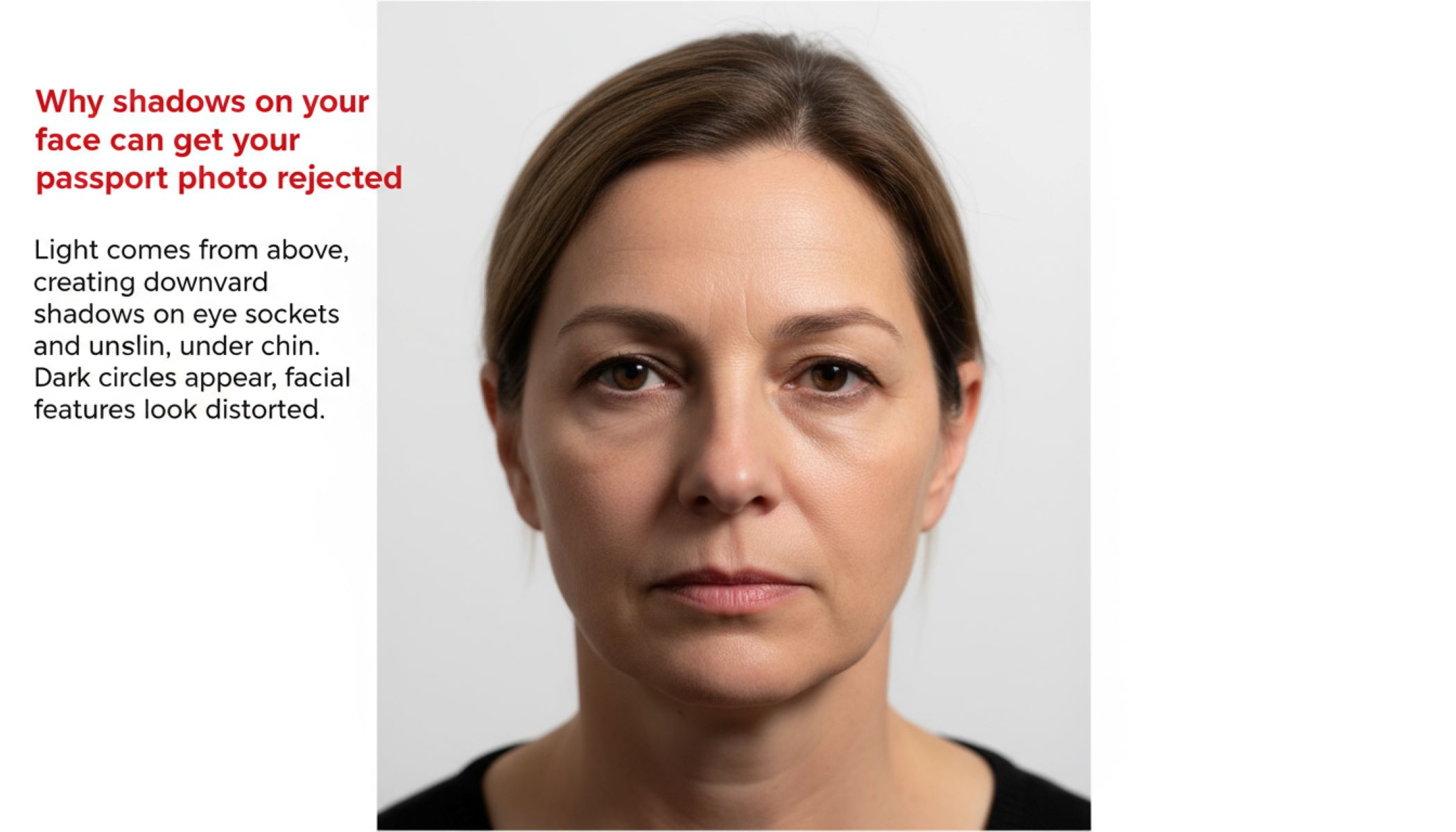
Getting your passport ready sounds simple enough, right? Snap a photo, fill out the forms, and voilà—you’re ready to travel. But wait, there’s a sneaky little detail that trips a lot of people up: shadows on your face. Yes, those harmless-looking shadows can actually get your passport photo rejected faster than you can say “Bon voyage!” Let’s dive into why this happens, how to avoid it, and tips for getting a flawless photo.
Understanding Passport Photo Requirements
You might think that small details, like tiny shadows or slight lighting differences, wouldn’t matter in a passport photo. However, passport authorities take these details extremely seriously. The reason is simple: your photo is not just a picture—it’s an official representation of your identity. Even the smallest shadows can obscure facial features or alter the perception of your face, which may lead to your photo being rejected. This is why understanding the precise requirements before taking a photo is crucial. Compliance ensures that your application moves smoothly without delays or additional costs from retakes.
One of the most important requirements is uniform lighting. Harsh shadows, uneven illumination, or overly bright areas on the face can distort facial features, making it harder for both human inspectors and automated systems to recognize you accurately. Lighting should be soft and balanced, with no side shadows, under-eye darkness, or shadows behind the ears. Many people overlook how the angle and intensity of light can change the look of the face, but even a slight shadow along the nose bridge or under the chin can be enough to fail the photo. Using multiple light sources or diffused lighting can help create a shadow-free, evenly lit photo.
Clear facial visibility is another critical factor. Passport photos are meant for identification purposes, which means that eyes, nose, mouth, and the overall face must be fully visible. Any obstruction, whether caused by shadows, hair, glasses glare, or accessories, can result in a rejection. Even minor shadows along the jawline or around the cheekbones can interfere with automated facial recognition systems, which rely on detecting specific landmarks on the face. Ensuring that your face is fully illuminated and unobstructed allows authorities to confirm your identity with accuracy and speed.
Lastly, a neutral expression is mandatory in almost all countries’ passport photo guidelines. Smiling, frowning, or exaggerated expressions can alter facial contours and make automated recognition less reliable. Shadows can exacerbate this problem by emphasizing lines or creating artificial depth, which changes the apparent shape of your features. A neutral expression, combined with even lighting and clear visibility, creates a standardized image that passport authorities can easily accept. Essentially, a shadow-free, properly lit, neutral photo is not just a recommendation—it is a requirement for your passport to be approved efficiently.
What Causes Shadows on Your Face?
| Shadow Source | Why It Happens | How It Affects Your Photo | How to Fix It | Tips for Prevention |
| Overhead Lighting | Light comes from above, creating downward shadows on eye sockets and under chin | Dark circles appear, facial features look distorted | Use diffused front lighting or softbox | Adjust ceiling lights or add a fill light at face level |
| Side Lighting | Light hits only one side of the face | One side appears bright while the other is in shadow | Place two lights on each side for even illumination | Avoid positioning yourself directly next to a single window |
| Natural Sunlight | Sunlight at an angle creates harsh, uneven shadows | Strong contrasts create dark lines, especially around nose/chin | Use sheer curtains or take photos indoors with controlled lighting | Shoot in morning or late afternoon when sunlight is soft |
| Facial Hair or Glasses | Hair, beards, or glasses block parts of the face from light | Shadows obscure eyes, nose, or cheeks, altering facial recognition | Adjust lighting, remove glasses temporarily, or trim hair | Keep hair pulled back and glasses clean |
| Camera Angle Issues | Camera is too high, low, or tilted | Facial features become asymmetrical, shadows form along jawline | Keep camera at eye level and head straight | Use a tripod or mark a fixed camera position |
Why Passport Authorities Reject Photos With Shadows
You might think a small shadow on your face is harmless, but in reality, it can be a major reason for passport photo rejection. Passport authorities follow strict rules to ensure photos are consistent, clear, and suitable for identity verification. Shadows can interfere with these requirements in several ways:
- Obscuring Key Facial Features: Shadows can hide or distort parts of your face such as the eyes, nose, mouth, or jawline. Even slight shadowing can make it difficult for human inspectors to verify your identity accurately, as these features are essential for confirming who you are.
- Interfering With Automated Facial Recognition: Many modern passport processing systems use automated facial recognition technology. Shadows can create artificial contours, dark patches, or distorted shapes, causing the software to misread or fail to recognize your face entirely. This may lead to rejection or additional verification requirements.
- Altering Skin Tone and Facial Details: Uneven lighting or shadows can change the appearance of your skin tone, highlight unwanted lines, or make certain facial areas appear darker than they really are. Passport guidelines often require uniform lighting to maintain consistency across all photos.
- Creating Asymmetry in Facial Appearance: Shadows falling on only one side of your face can make your features look asymmetrical. Even minor asymmetry can be flagged by both human reviewers and automated systems, increasing the risk of rejection.
- Obstructing Eye Visibility: Shadows around the eyes, often caused by overhead or side lighting, can make the eyes appear sunken or partially hidden. Clear eye visibility is a non-negotiable requirement for passport photos, and any obstruction can result in instant rejection.
- Distorting Jawline or Chin: Shadows cast along the jawline or under the chin can exaggerate or obscure facial contours. This not only affects visual clarity but also causes recognition systems to misinterpret facial geometry.
- Highlighting Unwanted Lines or Wrinkles: Harsh lighting or shadows can emphasize lines or creases that normally wouldn’t be noticeable, potentially making the photo non-compliant with the “neutral expression” rule.
- Failing to Meet Lighting Standards: Passport authorities often mandate that the entire face must be evenly lit. Even minor shadows under the nose, on the cheeks, or near the hairline can cause a rejection. This ensures that every photo is standardized and reliable for official use.
- Impacting Overall Photo Quality: Shadows reduce the overall quality and clarity of the photo. A photo with uneven lighting may appear unprofessional or unclear, which is sufficient reason for authorities to reject it.
- Increasing Processing Delays: Even if the photo is eventually accepted after review, shadows can trigger additional checks or requests for retakes, causing unnecessary delays in passport processing.
The Science Behind Shadow Rejection
Passport photos are no longer evaluated solely by human inspectors; modern technology plays a major role in verifying identity. Automated systems, including facial recognition software and advanced image analysis tools, are designed to quickly and accurately compare your photo with stored identification data. These systems rely heavily on precise, clear, and evenly lit images. Even minor shadows can introduce irregularities that confuse the algorithms, resulting in potential rejection. This is why authorities emphasize lighting and clarity as strictly as they do facial positioning.
Facial recognition technology works by identifying key landmarks on your face, such as the eyes, nose, mouth, jawline, and the distances between them. Shadows can distort these features, creating false contours or altering their apparent shape. For example, a shadow cast along the jawline might make the face appear asymmetrical, or a shadow under the nose could be interpreted as an unusual facial feature. These misinterpretations can cause automated systems to fail in matching your photo with your existing records, leading to rejection or additional verification requests.
Another important factor is color and brightness analysis. Automated systems scan passport photos for uniform skin tone and overall image consistency. Shadows create uneven patches of dark and light areas, which can appear as anomalies to the software. This may make certain facial areas seem artificially darker, giving the impression of defects or unusual features. Even if a human examiner could easily overlook these inconsistencies, automated systems are far less forgiving, flagging them for further review or outright rejection.
Think of it like trying to recognize a friend in a dimly lit room. If their face is partially in shadow, you might struggle to see their expression or distinguish key features, slowing down recognition. The same principle applies to passport photo systems. Shadows obscure details, introduce irregularities, and reduce clarity, all of which compromise the photo’s usability for official identification. Ensuring even lighting and shadow-free conditions is therefore critical for both human and machine verification, making your passport photo compliant and rejection-proof.
How to Prevent Shadows in Your Passport Photo
| Step | Why It Matters | How Shadows Form | How to Fix It | Tips for Best Results |
| Choose the Right Lighting | Proper lighting ensures facial features are clearly visible and evenly lit | Direct sunlight, single light source, or overhead lights create uneven shadows | Use soft, diffused lighting or softbox; avoid harsh sunlight | Place lights at 45-degree angles; diffuse natural light with curtains |
| Adjust Your Position | Correct posture prevents uneven shadows and asymmetrical facial appearance | Tilting the head or standing too close to background creates shadows along jawline or cheeks | Stand a few feet from background; keep head straight | Relax shoulders, face the camera directly |
| Consider Background | Background affects overall lighting and shadow clarity | Dark or patterned backgrounds can cast shadows or reflect light inconsistently | Use a light, solid-colored backdrop | Ensure no objects are near the background |
| Clothing and Accessories | Reflective or bulky clothing can create extra shadows or obscure features | Shiny fabrics or scarves reflect light; hair covering face blocks light | Wear non-reflective, plain clothing; pull hair back | Avoid hats, glasses glare, or large jewelry |
| Camera Setup and Angle | Camera positioning impacts how light falls across the face | Low, high, or tilted camera angles cast shadows across facial features | Keep camera at eye level; use tripod if needed | Mark a fixed camera position and maintain consistency |
DIY Passport Photo Tips
Taking your own passport photo at home can save time and money, but it requires careful planning to ensure it meets official standards. Shadows are one of the most common reasons for rejection, so it’s essential to follow these tips to get a perfect, compliant photo.
- Use the Right Equipment: Start with a smartphone or camera that has good resolution and a reliable autofocus feature. Blurry or low-quality images are often rejected, even if lighting is perfect. Consider using additional equipment like a ring light or softbox to create soft, even illumination, which minimizes shadows and highlights your facial features accurately.
- Choose a Neutral Background: The backdrop should be plain, light-colored, and free of patterns or objects. This ensures your face is clearly visible and prevents shadows from cluttered surroundings. A neutral wall or curtain works best and helps the lighting remain uniform across your face.
- Position Yourself Properly: Stand a few feet away from the background to prevent shadows from appearing behind you. Keep your head straight, shoulders relaxed, and look directly at the camera. Avoid tilting your head or leaning forward, as this can cast uneven shadows along your jawline or cheeks.
- Optimize Lighting: Use natural light if possible, but avoid direct sunlight, which can create harsh shadows. Position yourself facing a window or a diffused light source. If using artificial lighting, place lights at 45-degree angles on both sides of your face to eliminate side shadows and create uniform brightness.
- Maintain a Neutral Expression: A neutral facial expression is required for passport photos. Avoid smiling, frowning, or raising eyebrows, as shadows can exaggerate these expressions and alter the perceived shape of your face. Keep lips closed and eyes fully open for clear visibility.
- Check for Obstructions: Remove hats, sunglasses, or any accessories that could cast shadows or block facial features. Ensure hair is pulled back so it doesn’t create shadows around the forehead, cheeks, or eyes. Even small obstructions can trigger rejection.
- Take Multiple Shots: Don’t rely on a single photo. Take several pictures to compare lighting, angle, and facial positioning. This increases the chance of selecting the most compliant image and reduces the need for retakes.
- Perform a Pre-Submission Checklist: Before finalizing your photo, ensure the following:
- Even, shadow-free lighting across your face.
- Neutral expression with lips closed.
- Eyes, nose, and mouth fully visible without obstructions.
- No shadows under the eyes, nose, chin, or along the jawline.
- No hats, hair covering the face, glasses glare, or reflective clothing.
- Review and Edit Minimally: If needed, you can slightly adjust brightness or contrast to improve uniformity, but avoid heavy filters, digital alterations, or retouching, as these can make the photo non-compliant.
- Final Verification: Compare your photo with official passport photo guidelines to ensure compliance with size, background, lighting, and facial visibility requirements. Ensuring everything is perfect before submission prevents delays or rejections.